
How Nonprofits Can Record Every Donation in One Place
Learn how GivingFuel Manual Entry helps nonprofits record offline donations, keep donor records complete, and track every gift in one connected CRM.

Key Takeaways
• Manual Entry helps nonprofits record donations that do not start through an online giving page.
• Tracking offline gifts in GivingFuel keeps donor records, giving history, and reports more complete.
• Nonprofits can manually add offline donations and, when available, credit card or ACH donations on behalf of donors.
• Recording every gift in one CRM makes donor follow-up easier and more accurate.
• GivingFuel helps teams keep online and offline donation activity connected to the right supporter.
Not every donation happens online. Some supporters may give by check. Someone may hand your team cash at an event. A donor may make a gift outside your online donation page. Those gifts still count towards your goal, and they belong in your donor records.
When offline gifts live in spreadsheets, inboxes, paper notes, or memory, your team loses the full picture. Donation history becomes incomplete. Reports get harder to trust. Donor follow-up takes more work than it should.
That’s why GivingFuel includes Manual Entry.
This is the fourth post in our GivingFuel CRM series. First, we covered contact profiles. Then, we covered tags and search filters. Next, we covered merging duplicate contacts. Now, we’re looking at how Manual Donation Entry helps nonprofits record more gifts in one place.
What Is Manual Donation Entry?
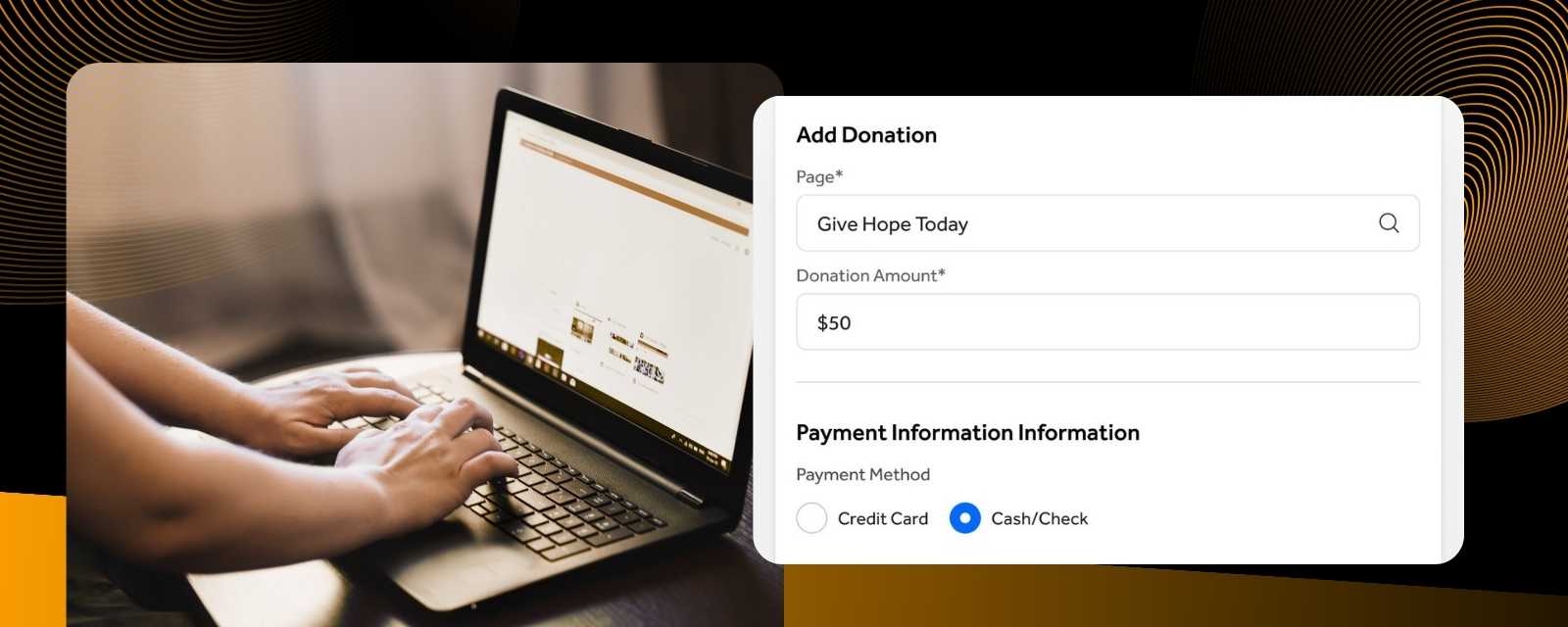
Manual donation entry is the process of adding a gift into your fundraising system on behalf of a donor.
This is helpful when a donation happens outside your normal online checkout flow. For example, a supporter may give by cash, check, or another offline method. Your team can still record that gift in GivingFuel so it becomes part of the donor’s giving history.
With GivingFuel’s Manual Entry, nonprofits can manually add offline donations, credit card donations, and ACH donations on behalf of donors.
That means your CRM can reflect more of your real fundraising activity, not just the gifts that happen through an online form.
Why Recording Every Donation Matters
A donor relationship is built through every gift, not just online donations.
When offline gifts are not recorded in your CRM, your team may miss important context before sending an appeal, making a thank-you call, or reviewing campaign results.
Recording every donation in one place helps your nonprofit:
- Keep giving history complete.
- Improve reporting accuracy.
- Send better thank-you messages.
- Understand each donor relationship more clearly.
- Find donation activity faster.
- Reduce scattered records and manual tracking.
A complete giving history helps your team make better decisions and care for donors more consistently.
What You Can Record in GivingFuel
GivingFuel’s Manual Entry tool gives nonprofits a way to add donation activity into the system even when the gift did not begin online.
Your team can use Manual Entry to record:
- Offline donations
- Cash gifts
- Check gifts
- Credit card gifts entered on behalf of a donor
- ACH gifts entered on behalf of a donor, when available
- Gifts connected to an existing supporter
- Gifts for a new donor contact
GivingFuel also lets your team add a note when entering a donation, which can help preserve helpful context for future follow-up.
For organizations that accept offline payments, GivingFuel can track cash, check, and other non-credit-card gifts inside the donation record.
How Manual Entry Supports Donor Records
Manual Entry isn’t just about logging a transaction. It helps keep the donor relationship connected.
When you add a donation for an existing supporter, the gift can be tied to that contact’s record. That gives your team a clearer view of how someone has supported your organization over time.
This context is crucial for donor follow-up.
Before reaching out, your team may want to know:
- Has this person given before?
- Was their latest gift online or offline?
- What campaign or page was the gift connected to?
- Should this donor receive a thank-you or follow-up note?
- Does this gift change how we should communicate with them?
GivingFuel’s Donor CRM & Relationship Management helps nonprofits keep donor profiles, activity, giving history, notes, tasks, and follow-up organized in one place.
Offline Donations and Donation Statuses
Offline donations often need a little extra tracking because the gift may be promised before your team has physically received the payment.
GivingFuel’s offline payment tools use statuses to help your team manage this. When someone chooses an offline payment option, the donation can be marked as pending offline. Once your team receives the payment, you can mark the donation as completed.
That helps your records show what has been promised and what has actually been received.
It also matters for year-end statements. Offline donations appear on year-end statements once they are marked as completed in GivingFuel.
That small step helps keep your records clearer for both your team and your donors.
Simple Ways to Use Manual Entry
Manual Entry can support several everyday fundraising moments.
You might use it when:
- A donor mails a check.
- Someone gives at an event.
- A supporter hands your team cash.
- A donor wants help completing a gift.
- An organization makes an offline contribution.
- Your team needs to keep offline gifts connected to donor history.
This is especially helpful for teams that receive donations in more ways than one. Instead of managing separate records for online gifts, offline gifts, and event gifts, you can keep more activity connected inside GivingFuel.
Best Practices for Recording Donations
A few simple habits can help your team keep donation records cleaner.
- Record offline gifts soon after they are received.
- Use the donor’s correct billing email when adding a gift.
- Connect the gift to an existing contact when possible.
- Add a note if the gift needs extra context.
- Mark offline donations as completed once payment is received.
- Review donor history before creating a new contact.
- Check reports regularly to make sure donation activity looks accurate.
These small steps help your CRM stay useful, accurate, and easier for your whole team to trust.
FAQs
What is manual donation entry?
Manual donation entry is when your team adds a donation into your fundraising system on behalf of a donor, often for offline gifts like cash or checks.
Why should nonprofits record offline donations?
Nonprofits should record offline donations so donor records, giving history, reports, and follow-up stay complete.
Can GivingFuel record cash and check donations?
Yes. GivingFuel supports offline payments, which can help nonprofits track cash, check, and other non-credit-card donations.
Can GivingFuel add donations for existing donors?
Yes. When manually entering a donation, your team can search for an existing contact so the gift is connected to the right donor record.
How does Manual Entry help donor management?
Manual Entry helps nonprofits keep more donation activity in one place, giving teams a clearer view of each supporter’s giving history and relationship with the organization.
Keep Every Gift Connected
Every gift is part of the donor relationship.
GivingFuel’s Manual Entry helps nonprofits record offline donations, connect gifts to donor profiles, and keep fundraising data more complete.
That means less time sorting through scattered records and more confidence when your team thanks donors, reviews reports, and plans the next campaign.
Ready to keep every donation organized? Sign up with GivingFuel today.
We’re here to help make donor management simpler, more connected, and easier to manage.
– The GivingFuel Team

The world's #1 All-in-one fundraising, engagement, CRM, and marketing platform for nonprofits. GivingFuel helps you do more, raise more and keep more.
Help & Support: team@givingfuel.com
Sales: sales@givingfuel.com
© 2026 Giving Fuel. All rights reserved.
We, like the rest of the internet, use cookies and similar technologies, including third-party analytics and reporting tools, to operate our site, and analyze usage and performance. These tools may collect information such as pages visited, interactions, device/browser details, and identifiers. But we do not sell or share your information with third-parties.
You probably won't read this nor our policies, but we are required by law (and legal trolls who ruin everything) to show you this popup before you proceed. By continuing to use our site, you acknowledge and agree to this use of cookies and technologies as described in our Privacy Policy and Terms and Conditions